Design Tool Checklist: 18 Must-Have Gadgets and Tools for Graphic Designers
FullStop Team
May 4, 2021
Do you know what distinguishes a pro designer from a beginner? It’s the best tools for graphic designers that enable them to produce high quality creative work.
And you might have heard Jeff Duntemann about how a tool can improve not only the work quality but how the way you think, too. (Anyone…?)
And there are plenty of gadgets and tools for graphic designers that can unleash the best work reciprocating your thoughts exactly how you imagined the design. But you might feel exhausted searching the right graphic design tools one after another. So, I decided to share my design tool checklist for all the aspiring graphic designers to become a pro.
Here, you’ll find the ultimate graphic design gadgets and tools that are a Must-Have for any creative being. And you should have all (or at least the essential ones) to improve the way you work on your design projects. Keep on reading and discover where to begin with the right graphic design tools.
**Essential Graphic Design Tools & Gadgets In 2021
**
While gathering the information of graphic design essentials, I’ve kept every important element in the list. Because our creative work isn’t limited to having the best software like Illustrator or Procreate as there are some external factors, too, that influence the work quality. So, I’ve included every essential element for suggesting you the graphic design tools that increase your productivity level. Come, let me tell you what to buy first!
Laptop
Apple MacBook Pro

The first step to become a Pro is to get that's known for having Pro features, the MacBook Pro.
The reason for its fame, amongst the creative beings, is its large screen size along with the Intel Core i7 processor that allows it to work on a lightning speed when you're designing something.
And the humongous storage capacity is another reason for including it in graphic design tools with optimum screen resolution, too.
[amazon box="B08N5N6RSS"]
Microsoft Surface Book 2
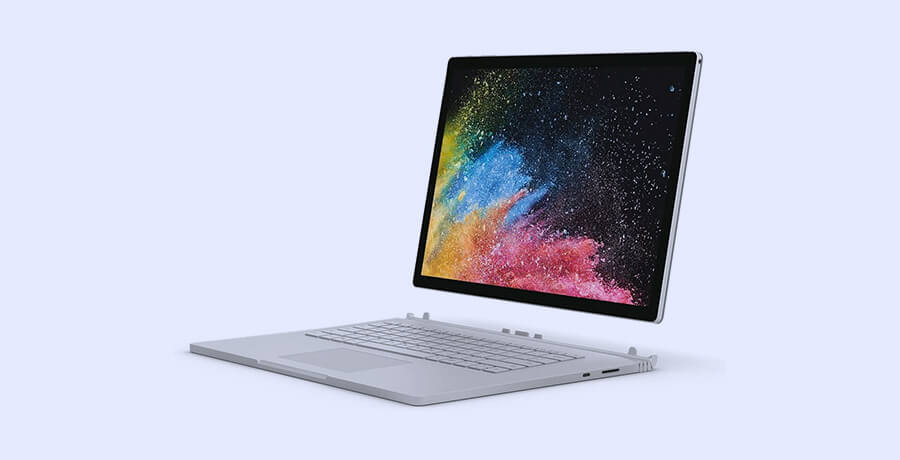
If you don't want to invest into an Apple product, I've another recommendation to make in shape of Microsoft Surface Book 2. This laptop comes with almost identical features as you'd find in an Apple MacBook Pro with its 15" large screen and same Intel Core i7 processor. And there's another reason for adding Microsoft Surface Book 2, in best graphic design tools, is the PixelSense Display feature that let you control the graphics quality during the design process.
[amazon box="B076J15LKM"]
Creative Software
Adobe CC

As a designer, you require a multitude of software to accomplish your designing objectives which Adobe understands. In order to set yourself as a Pro graphic designer, you must have access to all the amazing creative software that Adobe offers against a monthly subscripion. From Photoshop to Illustrator and InDesign to After Effects, you must have access to every essential designing software in order to speed up your design process and create exactly as you imagined.
Adobe CC Alternatives
Due to its slightly higher monthly subscriptions, and your initial days in graphic designing, you might not be able to have access to Adobe CC. But don’t worry! I’ve some alternatives to suggest that work quite fine in place of Adobe CC. For creating as awesome work as you’d have done in Illustrator, I recommend you to use Inkscape that is a freeware vector graphic designing tool.
Then, I’d suggest you to use Pixlr if you can’t access Photoshop due to limited budget. And for Premiere Pro, there’s DaVinci Resolve that can be regarded as one of the alternative graphic design tools for getting your work done without compromising on quality.
Large Hi-Res Monitor
Pro Display XDR

Next, in my list of best graphic design tools, is the large monitor that is an essential gadget for becoming a pro designer.
And I'd recommend you to consider buying Pro Display XDR that offers you a wider view with its 33" IPS LCD display. The Pro Display XDR is famous for having 1000 nit brightness with P3 wide color gamut that offers you a super wide viewing angle while you're working on your design.
Not only for graphic design project, this monitor is a heaven for digital artists with portrait and landscape detection mode and brightness control features, too.
[amazon box="B082PRRMMB"]
LG UltraFine 4K

If you don't want to spend on Pro Display XDR at the moment, I'd recommend you to consider the LG UltraFine 4K that offers 23.7" wide display. This monitor offers you a decent 500 cd/m2 brightness features along with Thunderbolt 3 x2 connections to harness the speed of your work and see exactly what you visualize in your mind.
[amazon box="B08CVTTNN4"]
Monitor Calibrator
X-Rite i1Display Pro

Do you trust your monitor when it comes to color grading during the design process?
I don’t!
So, I’d recommend you to buy X-Rite i1Display Pro which ensures that your monitor is showing you exact colors and there won’t be an embarrassing moment later when you watch the graphics on another laptop or mobile device. This tiny device connects in no time and helps you in maintaining the color calibration of your monitor without even going into the complex calibration modes. Plus, it offers you color management facility when you're working on different design files simultaneously, too.
[amazon box="B0055MBQOW"]
Datacolor Spyder5ELITE

Wait, wait! I've another suggestion to make for your monitor calibration ventures in shape of in shape of Datacolor Spyder5ELITE.
It’s another useful calibration tool that is specifically invented for photographers (and you can benefit it from, too). The device helps you with adjusting the monitor's calibration with its advanced accuracy feature and the automatic brightness adjustment feature is what I liked in this device the most that I added it into my list of best graphic design tools.
[amazon box="B00UBSL3L6"]
External Hard Drive
LaCie Porsche Design 4TB Hard Drive

Just like Robin beside Batman, having an external hard drive ensures that you won’t run out of space while storing data. So, I recommend you to buy LaCie Porsche Design 4TB hard drive that offers you the speediest data transfer of 5GB/sec.
There's a USB Type C connectivity option that's compatible with 3.0 USB port and offers excellent experience which is one of the reasons for suggesting it as one of the essential graphic design tools for every creative being who wants to be Pro.
[amazon box="B01G7KNREM"]
Western Digital My Passport Ultra Black

If you're concerned about the pricing, you may opt for Western Digital's WD Content Solutions My Passport Ultra Black hard drive, too. Along with having, comparatively, lesser price, it offers 2TB storage space with a smooth data transfer facility, too.
[amazon box="B00EYCBGNA"]
Graphics Tablet
Apple iPad Pro

Next, for suggesting you the best graphic design tools, I’ve Apple iPad Pro that offers you the world class designing experience with its large screen and smooth touch technology. With longest battery (up to 10 hours), Apple iPad Pro is known to have best processor (A12Z Bionic CPU) that enables you to work faster than most tablets.
[amazon box="B0862JK4BQ"]
Wacom Cintiq Pro 13"

And if you prefer to have the realistic brush feel, I’d suggest you to consider buying Wacom Cintiq Pro 13”. This tab has been regarded as one of the best graphic design gadgets to have due to its amazing pen-on-screen performance you give it a distinct feel. Buy Wacom Cintiq Pro 13" and enjoy working with the 1920x1080 resolution as you transfer your thoughts on screen.
[amazon box="B07CTPPRB8"]
Desktop Computer
iMac Pro

No matter how powerful laptop do you own but having iMac Pro, in your design den, can make you a Creative Supreme.
Because laptops might offer you portability it’s the desktop that can bear heavy graphics work without disappointing you, ever. And speaking of iMac Pro, you'll have 5K display with its 27" wide screen and fastest processing speed with its Intel Core i5 processor. Also, enjoy the Ultrafast SSD storage and access any design without using your external hard drive.
[amazon box="B08FBJNXQF"]
Dell Inspiron 27 7000 Series

Don't worry fellow creative comrades!
I have another smart option for buying desktop computer for your graphic design work in shape of Dell Inspiron 27 7000 Series. Apart from having an affordable price tag, it offers you the same 27" display screen and the fastest processing speed (in this price tag) with Intel 4-Core i5 processor.
[amazon box="B08BNFLCYS"]
Ergonomic Chair
Herman Miller Embody Ergonomic Office Chair
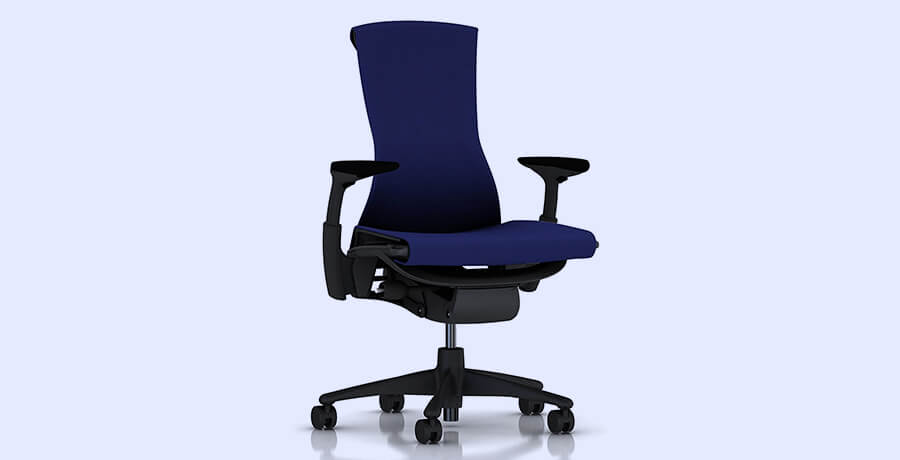
While suggesting the best graphic design tools, from my essential tools for graphic designers, allow me to suggest the right chair to keep your body in best position. Consider Herman Miller Embody Ergonomic Office Chair that offers backfit adjustment facility to adjust the chair as per your preference. This chair offers you tilt limiter along with the seat depth features to further add comfort in your working experience. Having an ergonomic design allows you to sit for hours without feeling fatigue or mild backpain with this wonder from Herman Miller.
[amazon box="B00KAJNFJO"]
Flash Furniture High-Back Office Chair

If you want to buy an economic chair, I've just the right option in shape of Flash Furniture High-Back Office Chair. What I liked the most in this option, that I added it into the graphic design essentials, is the headrest that is a much-needed feature in a graphic designer chair. Plus, the flip-up arms along with mesh swivel offer you a soothing sitting experience as you work on your design project.
[amazon box="B012JJ2EEY"]
Walking/Standing Desk
FlexiSpot M2B Standing Desk Converter

If we rank the essential graphic design gadgets, having a standing desk is a must for every creative being. And I personally suggest you to invest in FlexiSpot M2B Standing Desk Converter that gains your trust with versatile features and the ability to adjust the height. Plus, the wide room this table offers you is beyond explanation, I mean, you can keep your laptop next to the wide monitor and work on multiple projects simultaneously on this beautiful creation by FlexiSpot.
[amazon box="B01HPE05BM"]
Mr. IRONSTONE Electric Height Adjustable Desk
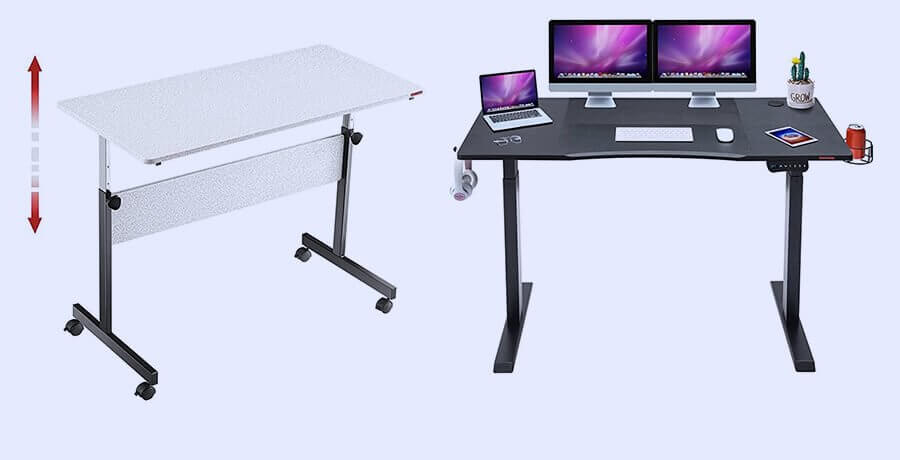
And if your budget doesn’t allow you to go for FlexiSpot M2B Standing Desk Converter, I suggest to consider Mr. IronStone Electric Height Adjustable Desk that offers you almost identical features. Forget manual adjustment and set the height with is Quick Electric Lifting System and get back to your design process. And enjoy 53.5"x23.6" wide workspace in Mr. IronStone Electric Height Adjustable Desk.
[amazon box="B08ZY7TRMF"]
Headphones
Sony Noise Cancelling Headphones

Graphic designers often prefer working in a controlled manner and often use music as a refuge from the noisy surroundings. If you've the same work patterns, I've the best headphones to make your graphic design tools list complete in shape of Sony Noise Cancelling Headphones. Get into your design zone with its quick attention mode and noise cancelling feature that I liked the most in this gadget. Plus, the longer battery life (up to 30 hours) is another attractive feature of this gadget that is one of the graphic design essentials.
[amazon box="B07G4MNFS1"]
Bose SoundSport Free
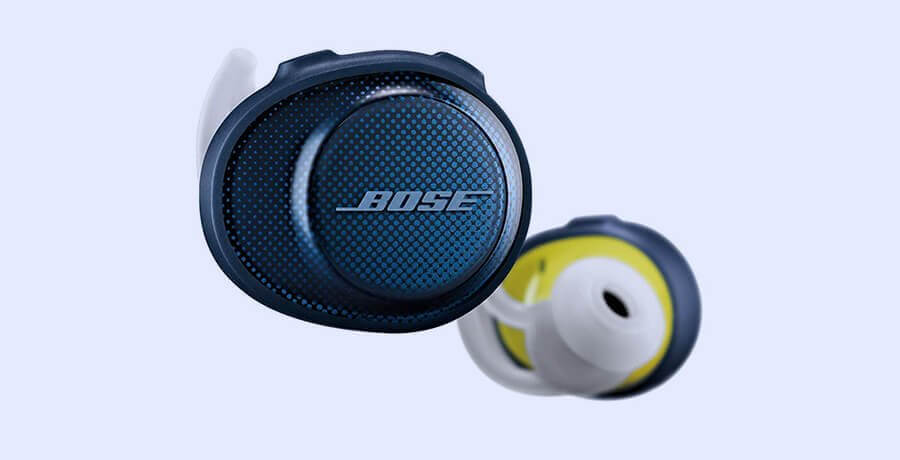
And if you don’t like wearing a headset, I’ll suggest you to consider buying Bose SoundSport Free earphones. From having a perfect ergonomic design to sweatproof feature, you'd love the sound quality of this ideal gadget for graphic design projects. Yes, it may not be as attractive as the Sony Noise Cancelling Headphone with its 30 hours battery time, but it does give you a nice 5-hour long battery duration.
[amazon box="B0748JM8M5"]
Digital Camera
Canon EOS 5D Mark IV

Being a graphic designer means giving your projects a creative, a unique side that shouldn’t be limited by stock photos especially when you can take several best ones with a camera. So, here’s another recommendation for graphic design gadgets in shape of Canon EOS 5D Mark IV that is my favorite DSLR, too. Click awesome shots with its 30.4 MP full-frame CMOS sensor and the 7.0 FPS frame rate. Also, you'd love the 4K UHD 2160p video resolution that enables you to make your own clips for including into your design work. Without having this essential gadget, your tools for graphic design are incomplete.
[amazon box="B01KURGSEE"]
Nikon D5300

I understand Canon appears to be out of the budget option but you must have a DSLR to keep yourself ahead of your competition. So, I suggest you to invest your money in Nikon D5300 that costs lesser than Mark IV. With its f3.5 and up to 12800 ISO, you can create interesting shots that can uplift your design's overall quality.
[amazon box="B00I1CPA0O"]
Online Portfolio
Behance

Your being an expert graphic designer doesn’t guarantee the amount of work you’d get until you market yourself. Nope! You don’t need to invest into a marketing campaign but you must have an online portfolio such as a profile on Behance.net. This social platform, made for creatives, enable you to keep your design projects in one place that you can use as an online platform, too. So, in order to complete the tools for graphic design, you must have a Behance.net profile.
ArtStation

Or, you may check out ArtStation, another online portfolio option for pro graphic designers. You not just find options for setting portfolio on ArtStation but you may also sell your creative work in the Marketplace section, too.
Dribbble

Since I’m suggesting you best (and free) online portfolio websites for graphic design work, how can I skip mentioning Dribbble? This is another popular website that pro graphic designers use not only for uploading their portfolio but also to get inspirations from other creative minds, too.
Cloud Storage
Adobe Creative Cloud

I get your confusion that when you’ve a laptop with monster storage and even an external hard drive then what’s the point to suggest cloud storage option, right? Because this cloud storage option would stay available everywhere you go but your laptop and external hard drive may not be with you, right? And the best part is that you get storage facility if you opt for Adobe CC. Yes, you heard it right that Adobe’s monthly subscription offers you a nice 20GB storage option, too.
Google Drive
And if you don’t have Adobe CC’s monthly subscription plan, go straight to Google Drive that gives you 15GB storage space with a gmail account FREE. You can store images, videos and PSD files straight to your Google Drive and access them on your phone if you don’t have the laptop with you. And this makes a worthy inclusion in my list of essential tools for graphic design.
Best Smartphone
Samsung Galaxy Note 10
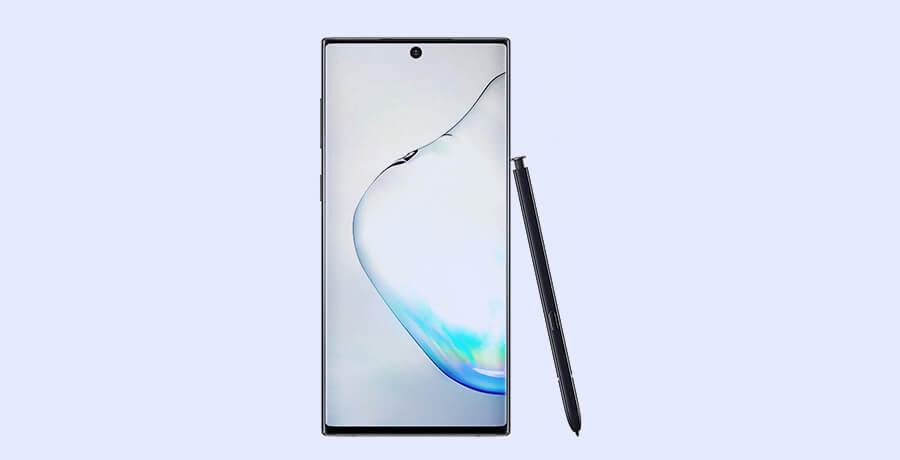
I adore everything from Apple but I’d prefer Samsung Galaxy Note 10 for having a bigger screen than Apple’s iPhone 12. Plus, it has better pixel quality than iPhone 12 with 12MP front and 16MP rear camera. Also, one of the reasons for recommending Samsung Galaxy Note 10 as the essential tools for graphic design is the storage capacity (256GB) that makes it a must-have phone for graphic designers.
[amazon box="B07WFHPZ2D"]
Google Pixel

If you're looking for a low-budget phone for graphic designers, I'd recommend you to consider buying Google Pixel that offers you a nice 5.0" screen along with Snapdragon 821 processor that manages to prove its worthiness for being a graphic designer's phone.
[amazon box="B08CFSZLQ4"]
Antivirus Protection
Bitdefender Antivirus Plus 2020

Just like it’s important to have a body protection with ergonomic chairs and adjustable desks, it is equally important to protect your surfing from malware attacks. So, I suggest you to buy Bitdefender’s total security latest version. This gives you complete secured experience while you search and access different websites on the web. Plus, having an antivirus protection gives you a peace of mind knowing that no malware attacker would ever lock years of your creative work and demand ransom.
[amazon box="B07CH94H1R"]
Kaspersky Anti-Virus

And if you don’t like using Bitdefender Antivirus Plus, for any reason, consider buying Kaspersky Antivirus that has years of trusted image in the industry. It is designed to locate viruses, trojans and malware and keep your PC/laptop in usable condition on a very nominal monthly subscription. And without having an antivirus, your tools for graphic design work are not secure.
[amazon box="B08N5N6SS"]
VPN
ExpressVPN

Before I conclude suggesting the best tools for graphic design work, I have a question for you.
Do you find it difficult to access certain sites?
I'd suggest you to buy ExpressVPN's monthly subscription plan that can solve your limited access problem. Not just that, it makes your connection super secure if you're accessing a public Wi-Fi from a restaurant or any crowded place, too.
Surfshark

I know that you're thinking about high monthly subscription.
No Problem! I've another recommendation to make in shape of Surfshark that costs half of what you'd pay at Starbucks for a cup of coffee. And in return, you get whole month's security for your internet access.
Printer
Epson Expression Photo HD XP-15000

One of the essentials, of a pro graphic designer, is to have an ideal printer that maintains your work’s quality when you take out the print. So, I suggest you to consider Epson Expression Photo HD XP-15000 that gives you full pixel quality freedom with its wider tray and versatile color gamut.
[amazon box="B076PLTQQT"]
Canon Pixma iP8720

And if you’re looking for an affordable, yet perfect, printing option then I’d suggest you to consider Canon Pixma iP8720. Don't mistake its compact size as it allows you to print larger sizes than most 8"x10" prints. Plus, it offers you a Wi-Fi connectivity which is why I included it into my graphic design tools.
[amazon box="B00HM0IV52"]
Productivity Software
I’ve suggested several paid, but essential, graphic design tools to make you a pro but if you don’t like Microsoft products, here’s one that’s free and acts better than MS Office Suite. In preparation to become a pro graphic designer, you must not forget to include word documents and I personally use Google Docs.
The reason for using Google Docs is that I don’t have to pay a monthly subscription and I get to avail all the awesome word features that MS Office offers only when I pay the subscription. So, consider this suggestion a gift from me as reaching the end of the list of best tools for graphic design work.
Also check:
- 14 Must-Know Best External Hard Drives for Graphic Designers
- 13 Must-Buy Best Scanners for Graphic Designers in 2021
- 17 Best Computer Mouse for Designers and Illustrators
- 14 Perfect Apple Pencil Alternative Under $100 for Designers
- 15 Best Budget Laptops For Graphic Design In 2021
- Best Lightboxes For Tracing, Design & Illustration In 2021
- Top 15 Graphic Design Laptops in 2021
- 15 Best Windows Tablets for Graphic Designers in 2021
- 15 Best Designer Tablets for Graphics, Drawing & Art in 2021
- 10 Best Computer for Graphic Design in 2021
- 12 Best Monitors for Programming & Coding In 2021
Final Words
I've tried to mention all essential graphic design tools that you'd want to have in order to produce the best creative work. But you can always make exceptions and opt for the most important graphic design gadgets only such as the laptop, creative software and a Hi-Res monitor. Again, I'd suggest you to complete your graphic design tools, first, in order to work with the best gadgets that I've mentioned above.
Disclosure: This content is reader supported, which means if you click on some of our links that we may earn a commision.